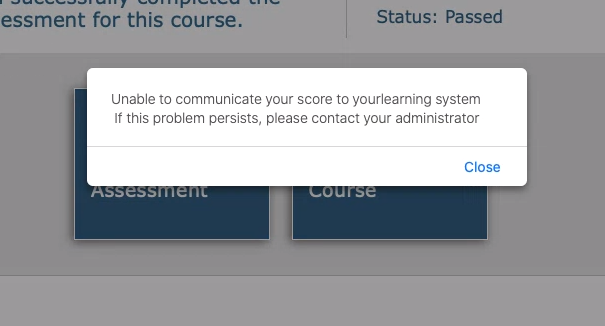
In some cases, your score will not be resent to your learning system. Most times, this is a transient issue and can be solved right away. I you see the message below or notice later that your organization's system doesn't have your score or completion record, follow the steps below.
1) Relaunch the course from your LMS
2) On the Welcome to IPIMS page , click the area next to Course Score - see attached below
3) A popup should be displayed tell you the status of sending data.
4) Click Return to LMS - see the screenshot below
5) Check the course status in your LMS. If the correct status and or grade is not listed contact IHRDC support by clicking
Comments